Super Simple SIEM Use Case Guide

Here are some very practical suggestions on the basic steps needed to develop SIEM related use cases.

Also see: part 2 and part 3

  • Create a list of all your available logs (see ‘next step’ below for a long list of suggested logs)
  • Configure your SIEM to collect those logs.
  • Create your ‘use cases’, with whatever tools you have in your SIEM.
  • Note that all logs are not created equal. The type of log will determine the options for the use cases. Generally speaking you’ll find the following types of logs in your environment.
  1. login activity
  2. configuration changes
  3. errors
  4. network traffic
  5. threats
  • Before considering correlations/alerts, create search queries to validate what information exists in the logs. Here’s a high level list of search queries to make for most log sources:
  1. AUDIT – Basic queries that present the most important fields in the log. eg: date,username, source, destination, action
  2. HUNT – More advanced queries designed to search for a specific pattern, eg. login denies, high severity intrusions
  3. INVESTIGATE – Queries to search for more details on a given ‘entity’ – eg. search all events for a given username or hostname.


Here’s a good range of detections that any SIEM should have:

Use Case Examples
  • Endpoint Detections (EDR logs – endpoint detect and response)
  • Network Intrusion Detections
  • DNS threats (eg. Cobalt Strike Beacon Detection to known IPs)
  • Firewall threats (eg. high rate of denies by source, destination)
  • Unauthorized Changes (to roles, resources, assets, etc)
  • Policy Violations (eg. detected those detected by Microsoft Defender for Cloud)
  • Suspicious/Risky User Activity (eg. Defender for Identity agent on Domain Controllers)
  • Threat Intelligence (eg. outbound traffic to known bad IP)
  • Endpoint and Identity alerts on sensitive assets (eg. maintain a list of sensitive/critical assets)
  • Alerts for sensitive users (maintain a list of sensitive/critical/privileged users)
  • Command and Control alerts (from EDR logs)
  • Lateral Movement alerts (Threat based alerts like EDR and unusual traffic across network zones – eg. port scan from workstation zone to server zone)
Next Step Suggestions
  • Apply ‘meta’ information to your use cases by creating lists of information such as:
    • Administrators
    • Privileged Users
    • Critical Assets
    • Risky users
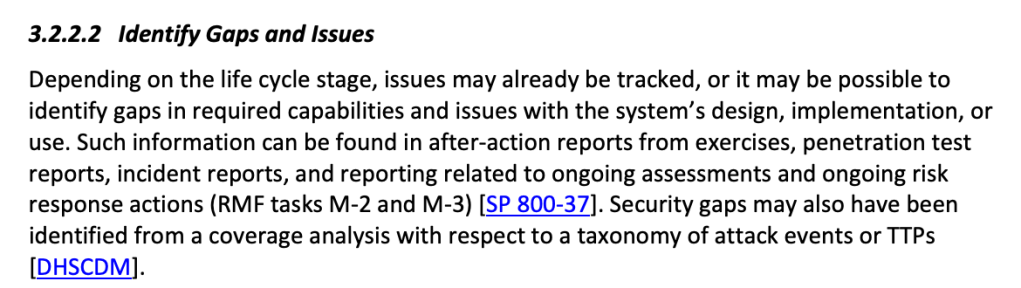
  • Identify gaps in your log collection, based on a ‘master list’ of desired log sources, acquire these missing sources and build more use cases to improve your attack surface monitoring.

Example log source gap list:

5G Wireless WAN
App
App Gateway
Application/COTS/Custom
AV/Anti-Malware
Call Management
CASB
Cloud Audit
Cloud Infrastructure Security
Cloud Resource Management
Data Management (Labeling & Protection)
Database
Database Monitoring
DDoS
Decoy
DHCP
Diagnostics & Monitoring
DLP
DNS
DNS Security
eCommerce
EDR
Email Protection
Email Server/Mail gateway
Enterprise Risk / Data Lake
External/Internal TI Feed
Fiber Switch
File Integrity Monitor (FIM)
Firewall/IDS
Honeypot
Identity & SSO
Identity Management
Identity Protection
IoT
Key Storage
Load Balancer/VPN
MDM
NAC
NetFlow
Network Traffic
NIDS
NIDS/NIPS
Privileged Access Management (PAM)
Remote Access and VPN
Router/Switch
SaaS
SAN
Security Configuration Management
Servers
Streaming Data Storage (Revenue Accounting)
System (OS)
UBA/Threat Analytics
Virtual Machines
Vulnerability scanner
WAF
WAF/Web Proxy/Web Content Filtering
Web
WebApp Scanner
Wireless Access
WirelessLAN

Need more ideas?

Simply search for ‘siem use cases’ and you’ll likely find a lot.

Some suggestions:

blueteamblog.com/siem-use-case-writing-guide

Microsoft Sentinel Analytic Rules

2 ways to get (free) Threat Intelligence feeds into Microsoft Sentinel

Like most things in life, there’s an easy way and a hard way…

The Easy Way

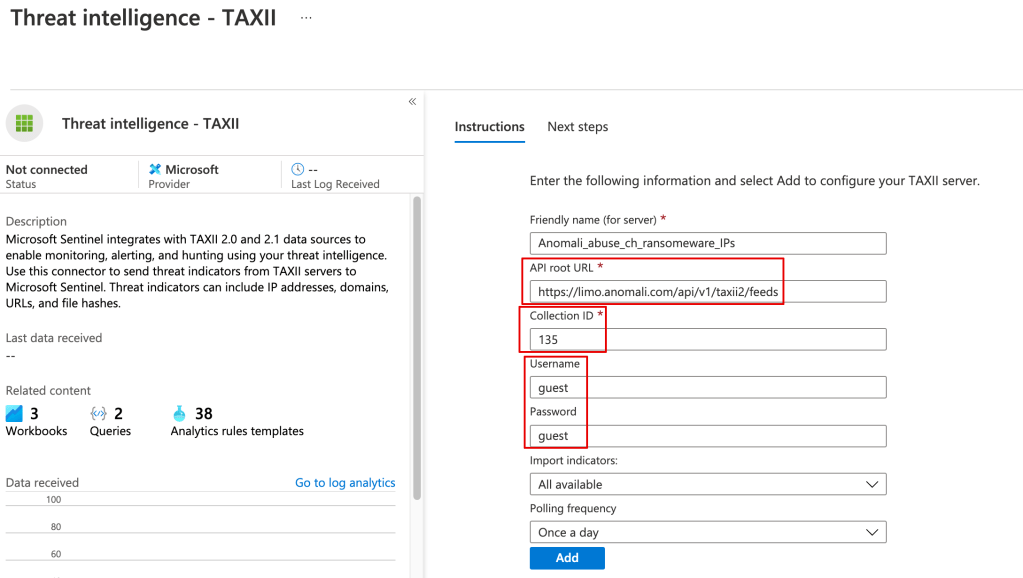
Anomali has a threat feed that supports Sentinel’s TAXII connector.

If you open a linux shell you can run this command to get the available channels:

curl -u guest https://limo.anomali.com/api/v1/taxii2/feeds/collections/

To configure one or more of the threat feeds in Sentinel, go to Connectors > Threat intelligence – TAXII. Note the API root URL will be:

https://limo.anomali.com/api/v1/taxii2/feeds

Once the threat data is loaded you can use it in your alerting and kql searches, eg:

ThreatIntelligenceIndicator| where NetworkIP != “”

The Hard(er) Way

You can pull in the TI data from Anomali or any other TAXII server using a playbook.

Although there’s a learning curve around using playbooks (Logic Apps), they’ve very powerful, and you can do things like filter out undesired data from your TI feed before it’s stored in Sentinel.

Here’s a great example:

https://techcommunity.microsoft.com/t5/microsoft-sentinel-blog/use-microsoft-azure-sentinel-and-anomali-match-for-actionable/ba-p/2080763

Working with Azure Policy

Azure policy is a big deal.

In addition to being a central feature of Azure, it’s at the core of Microsoft’s Defender for Cloud.

Simply put, Azure policy provides rules which say what you can and can’t do to your resources in Azure.

Defender for Cloud is Microsoft’s CSPM(cloud security posture management), and Azure policy is what it uses to regulate, identity, alert and enforce misconfigurations in Azure, as well as AWS and GCP(Google Cloud).

Here’s an example of using Azure Policy.

If something below doesn’t make sense, watch the video here from Blaize Stewart.

(For maintenance tips, jump to the bottom of the article)

Tip: the Boolean can confusing with policies, so just pay attention to the logic.

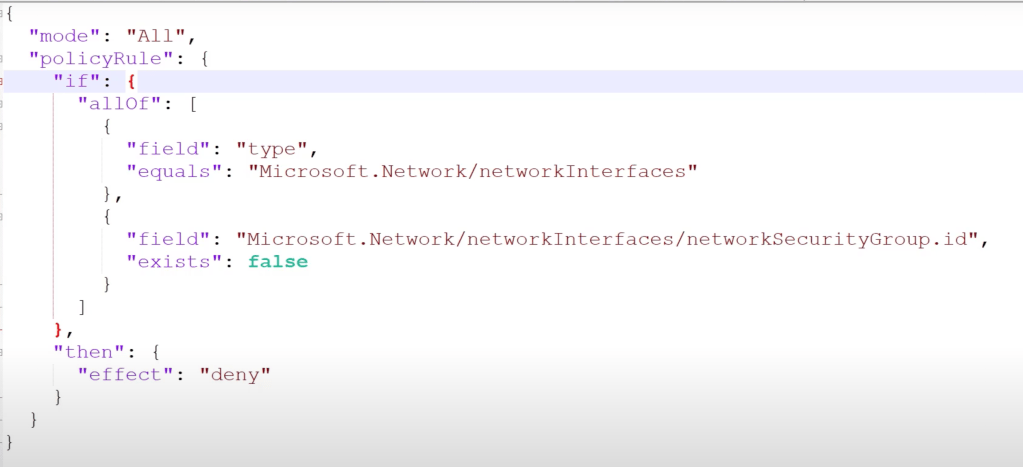
Example: NIC must have an NSG when created:

This logic below says:

IF [TRUE] THEN DENY

But inside the [TRUE] there’s another Boolean checking for FALSE.

So oddly enough, if the result is ‘false’ then the logic in the {} is TRUE!!!

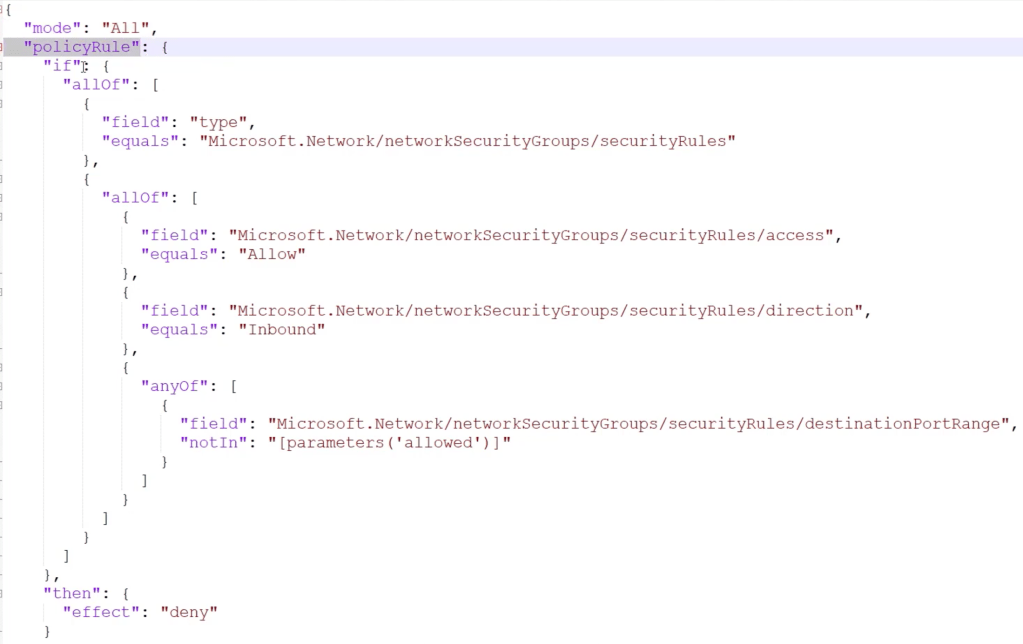
Example:

if[….] then deny.

all of these must match:

scope field is securityRules

if allof these are true [

access = allow

direction = inbound

]

AND Any of:

[

securityRules: distinationPortRange notIn [parameters(‘allowed’)]

]

 <so this is saying check for ports that aren’t in the defined allowed list>

If that port match is TRUE, then DENY.

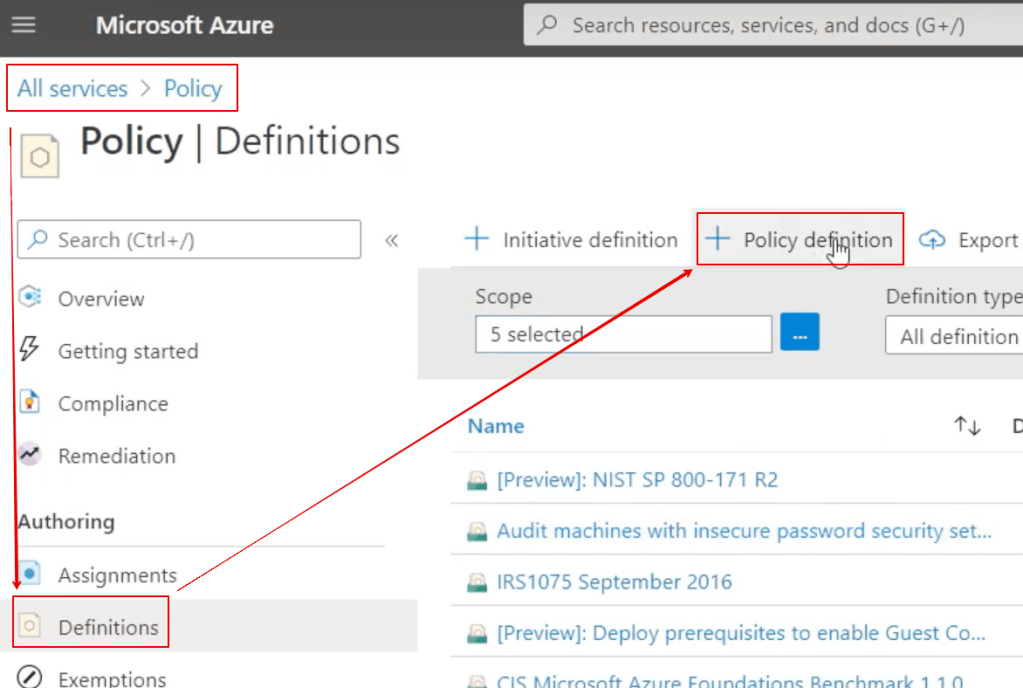
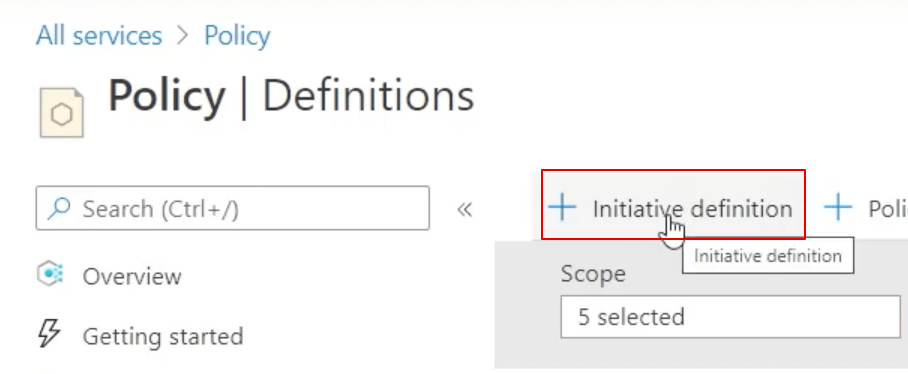
Creating a policy:

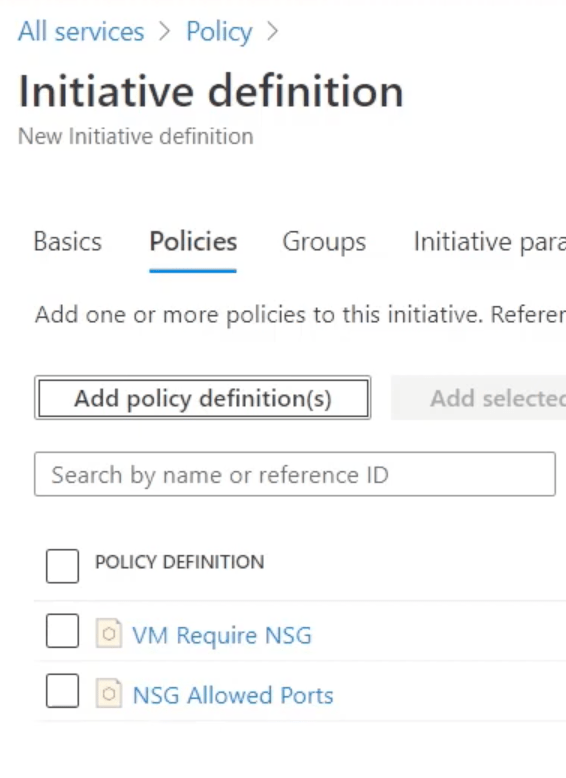
An Initiative is a GROUP of 1 or more policies

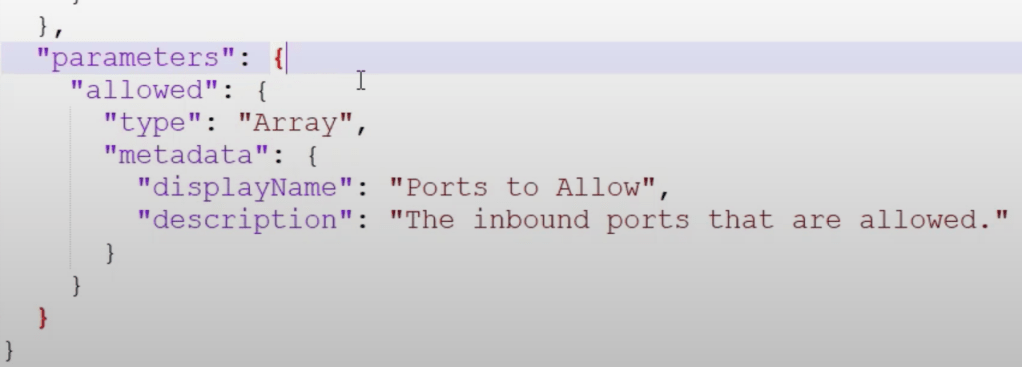
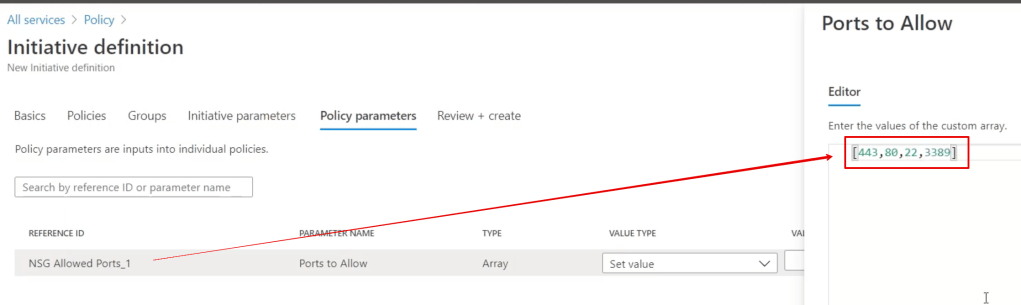
The 2nd example policy above required a list of ports, so when you create an initiative you must provide the array/list of ports:

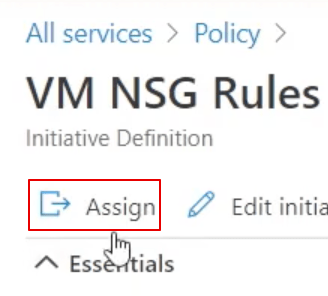
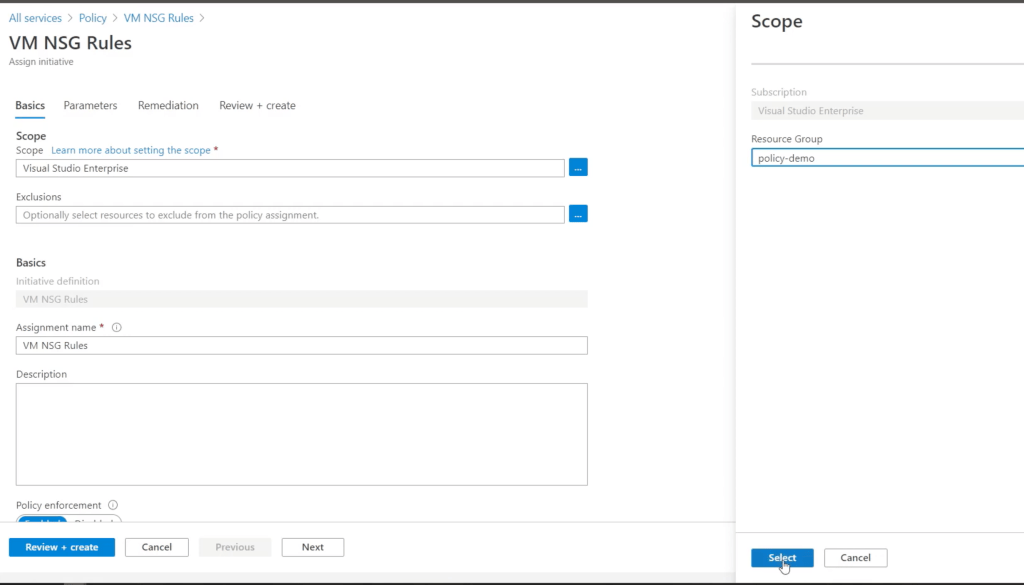
Create an ‘assignment’ from your initiative:

The main step for the assignment is to set the scope

(eg: these policies take affect for all resource inside a resource group):

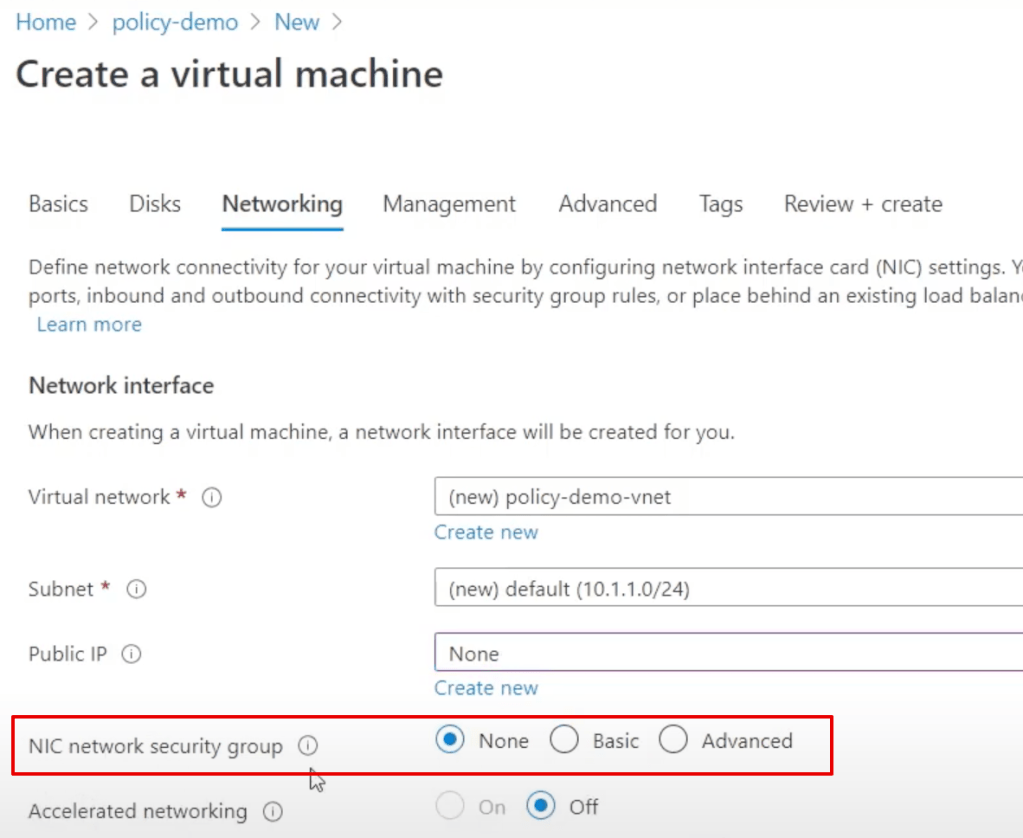
So now what is this policy initiative enforcing?

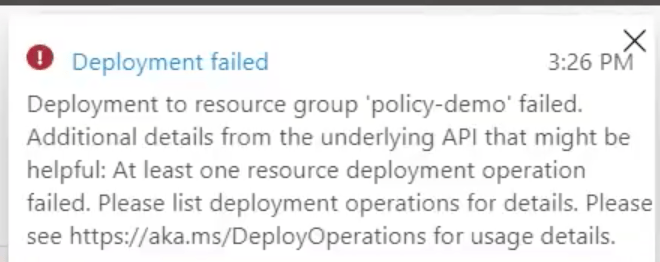
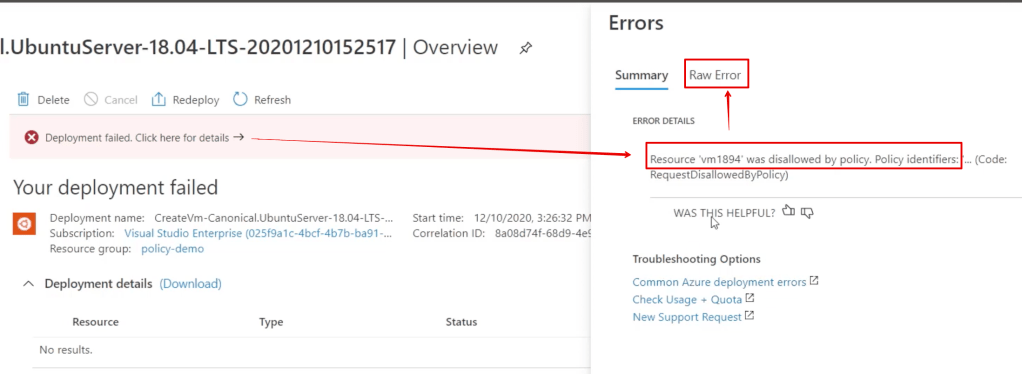
if you don’t set the nic then you get a rather meaningless error like this:

However if you click on ‘Click here for details’ you get a better description:

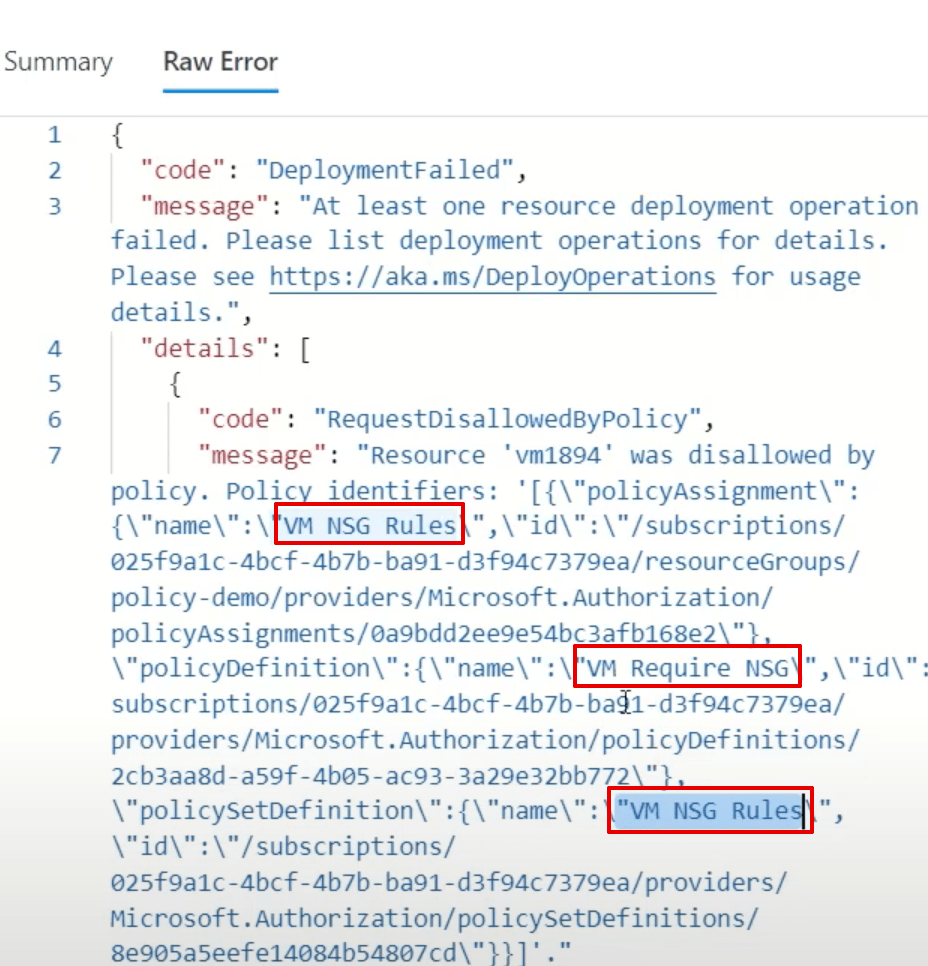
But the BEST description comes from the raw error tab.

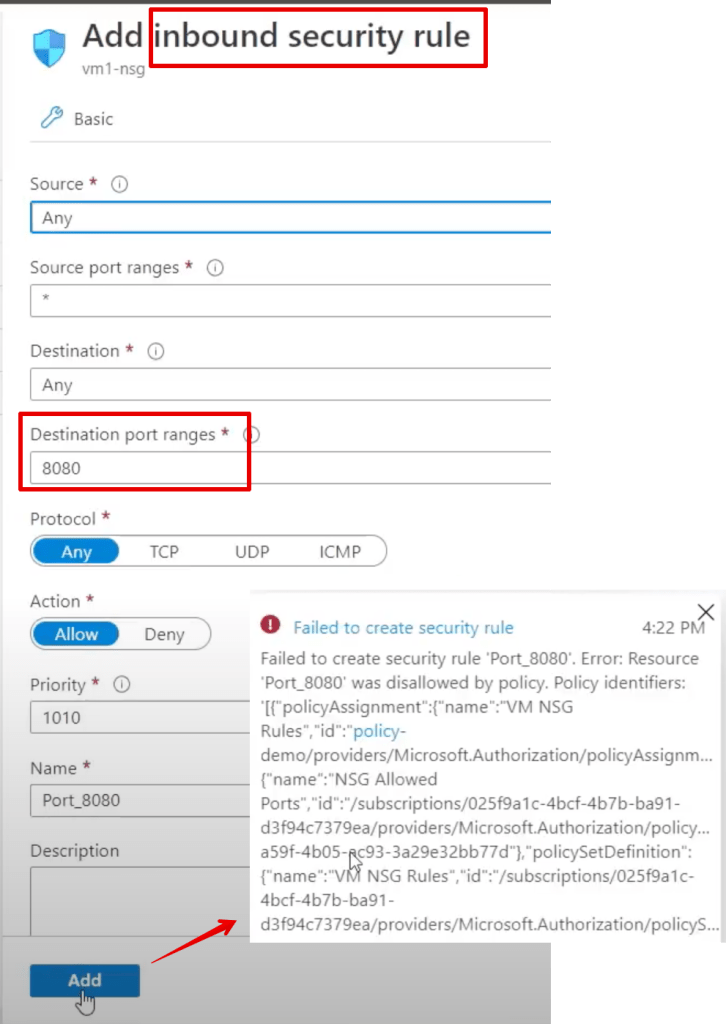
As another example, try to edit an existing NSG and add a port that’s out of the defined range above:

Azure Policy Maintenance Tips

Use powershell commands to export your policies for backup and re-use/sharing.

Assign ALL policies to the variable $definitions
$definitions = Get-AzPolicyDefinition

Get a count:
$definitions.count

Show the first policy:
$definitions[0]

Convert a single policy to json
$definitions[0] | ConvertTo-Json

(thanks to DCtheGeek)

Important References for when you’re ready to get dirty

Design Azure Policy as Code workflows – Azure Policy | Microsoft Docs

https://docs.microsoft.com/en-us/azure/governance/policy/concepts/definition-structure

List of built-in policy initiatives – Azure Policy | Microsoft Docs

GitHub – Azure/azure-policy: Repository for Azure Resource Policy built-in definitions and samples

When to use Microsoft SCCM vs Intune for managing devices

App management with Intune (excellent interactive video walkthrough):

https://docs.microsoft.com/en-us/mem/intune/apps/app-management

Microsoft suggests that Intune is the correct tool for mobile device management, and SCCM is what you use for pushing your ‘gold standard’ images to your workstations, servers etc.

Intune also offers an ‘Autopilot‘ feature for pushing OEM images to new workstations where you don’t need to apply custom ‘gold’ images.

Pkexec could affect many Linux operating systems

https://www.qualys.com/2022/01/25/cve-2021-4034/pwnkit.txt

I’m on a linux VM now and yep, there’s pkexec…

“iconv_open() executes small shared libraries…”

“Unfortunately, CVE-2021-4034 allows us to re-introduce GCONV_PATH into
pkexec’s environment, and to execute our own shared library, as root.”

Shouldn’t be long before we see a lot of demonstrations for this.

Getting Started with Azure/O365 Auditing

Read this:

https://cloudblogs.microsoft.com/industry-blog/en-gb/government/2021/04/14/updated-office-365-security-and-compliance-guidance-for-the-uk-public-sector/

Create your own audit based on MS500 and AZ500 training guide primary topics.

https://www.skylinesacademy.com/resources

Expand on your audit by learning each security feature in depth and adding tips/references to your audit sheet.

Good luck!

Azure Logic Apps can automate so much of your Microsoft Security world..

I’ve spent a lot of time in Azure Logic Apps over the past few months.

Give me a reason and I’ll put together a vlog on getting started with Azure Sentinel and Logic Apps.

In the meantime here are some good references:

https://docs.microsoft.com/en-us/azure/logic-apps/quickstart-create-first-logic-app-workflow

https://docs.microsoft.com/en-us/azure/logic-apps/

Azure Sentinel webinar: Unleash the automation Jedi tricks & build Logic Apps Playbooks like a Boss

https://docs.microsoft.com/en-us/azure/logic-apps/logic-apps-examples-and-scenarios

Functions Reference Guide

https://docs.microsoft.com/en-us/azure/logic-apps/workflow-definition-language-functions-reference