
Azure policy is a big deal.
In addition to being a central feature of Azure, it’s at the core of Microsoft’s Defender for Cloud.
Simply put, Azure policy provides rules which say what you can and can’t do to your resources in Azure.
Defender for Cloud is Microsoft’s CSPM(cloud security posture management), and Azure policy is what it uses to regulate, identity, alert and enforce misconfigurations in Azure, as well as AWS and GCP(Google Cloud).
Here’s an example of using Azure Policy.
If something below doesn’t make sense, watch the video here from Blaize Stewart.
(For maintenance tips, jump to the bottom of the article)
Tip: the Boolean can confusing with policies, so just pay attention to the logic.
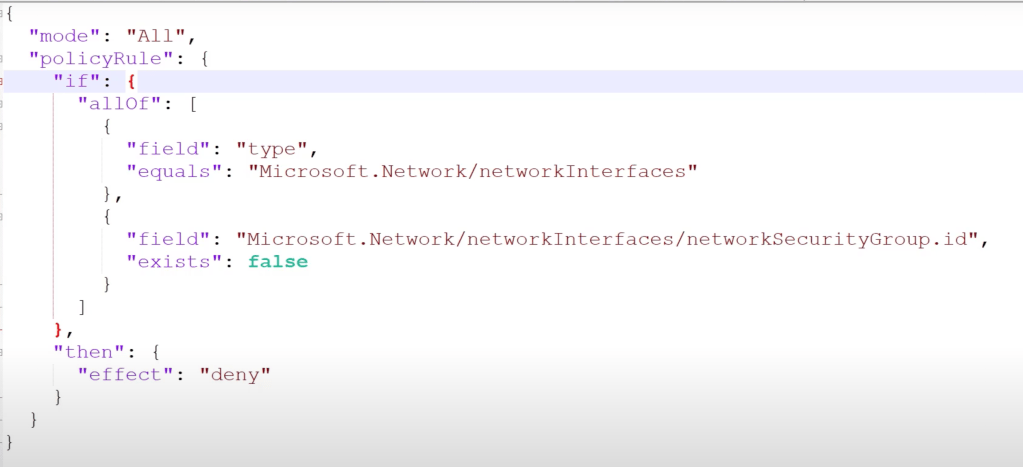
Example: NIC must have an NSG when created:
This logic below says:
IF [TRUE] THEN DENY
But inside the [TRUE] there’s another Boolean checking for FALSE.
So oddly enough, if the result is ‘false’ then the logic in the {} is TRUE!!!
Example:
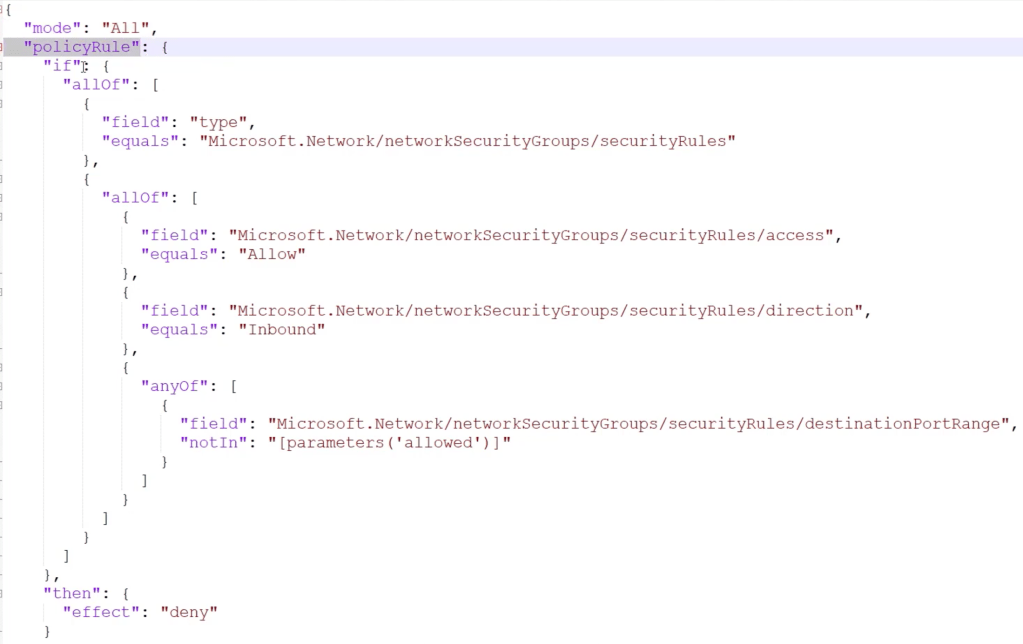
if[….] then deny.
all of these must match:
scope field is securityRules
if allof these are true [
access = allow
direction = inbound
]
AND Any of:
[
securityRules: distinationPortRange notIn [parameters(‘allowed’)]
]
<so this is saying check for ports that aren’t in the defined allowed list>
If that port match is TRUE, then DENY.
Creating a policy:
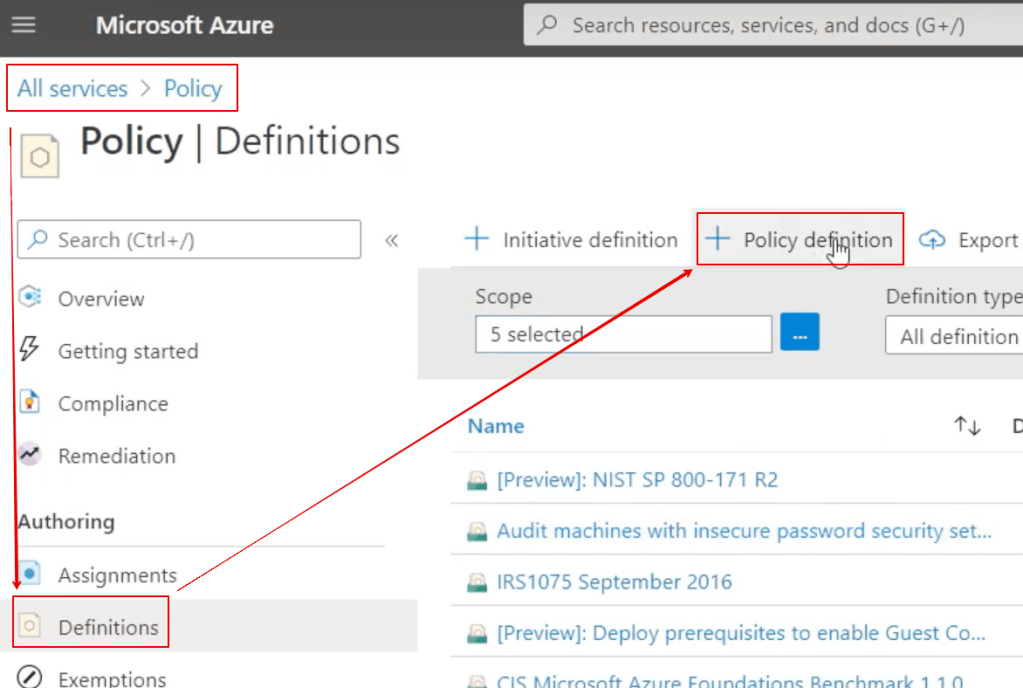
An Initiative is a GROUP of 1 or more policies
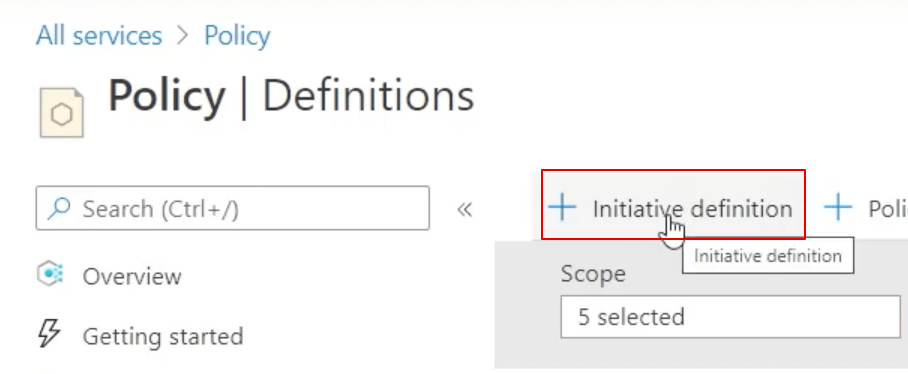
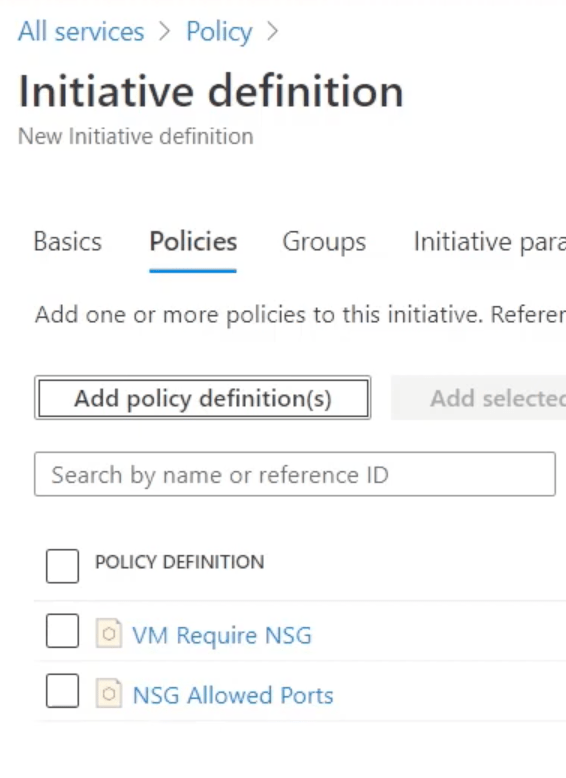
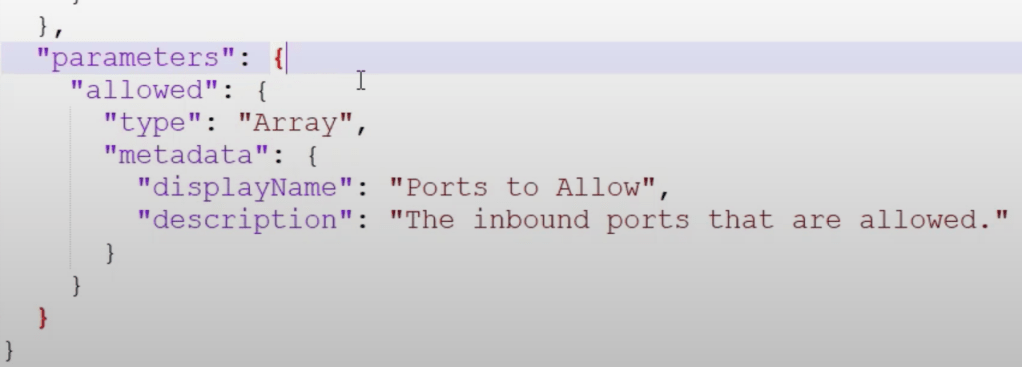
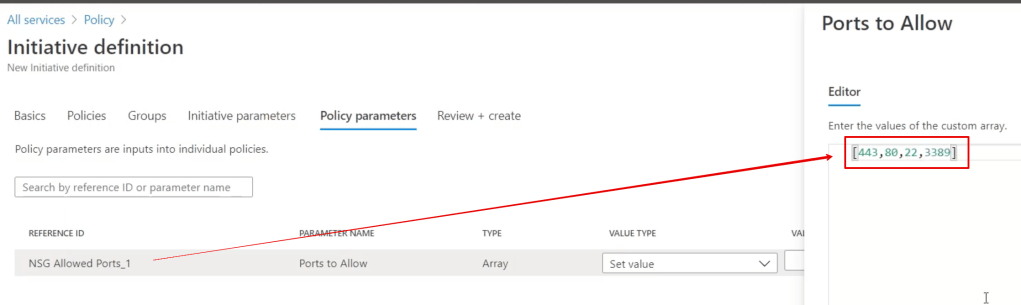
The 2nd example policy above required a list of ports, so when you create an initiative you must provide the array/list of ports:
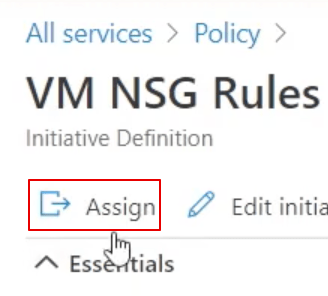
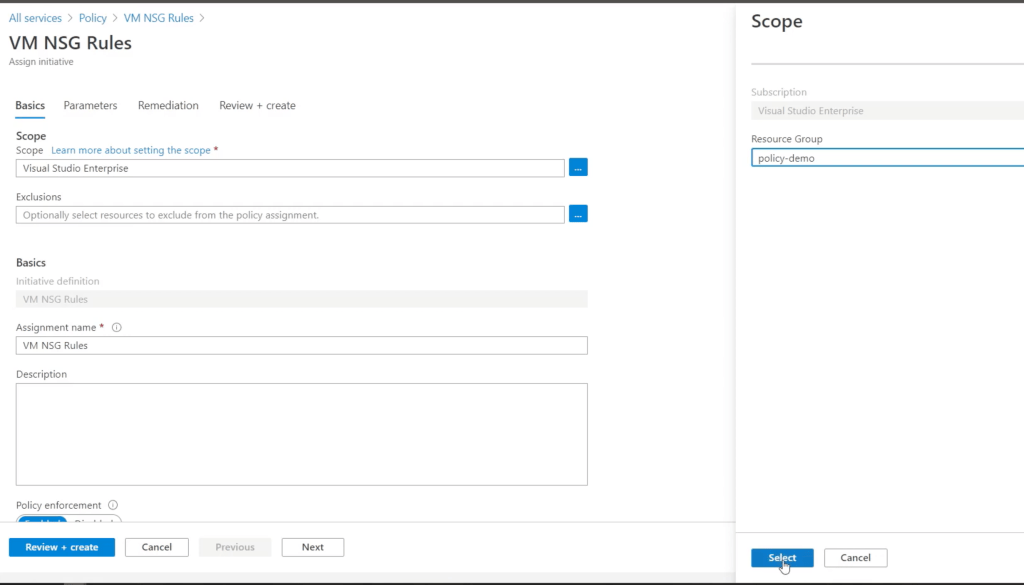
Create an ‘assignment’ from your initiative:
The main step for the assignment is to set the scope
(eg: these policies take affect for all resource inside a resource group):
So now what is this policy initiative enforcing?
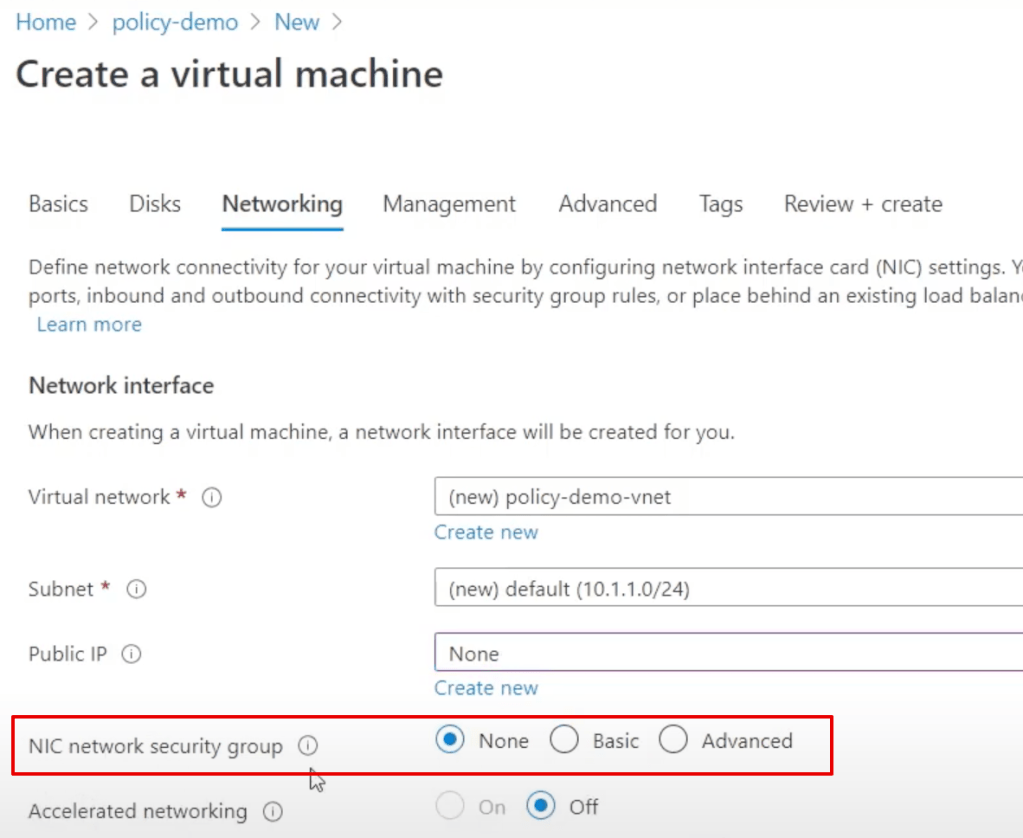
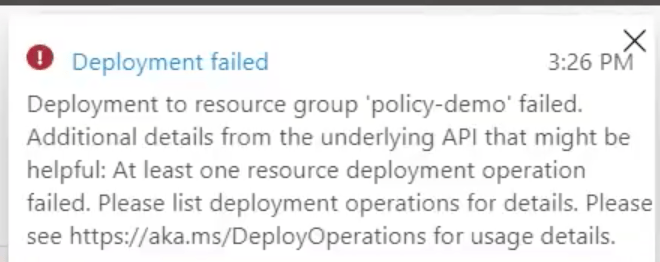
if you don’t set the nic then you get a rather meaningless error like this:
However if you click on ‘Click here for details’ you get a better description:
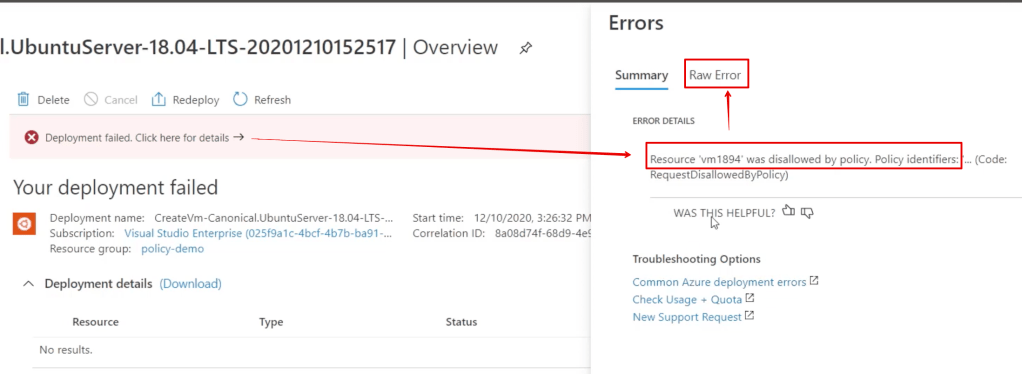
But the BEST description comes from the raw error tab.
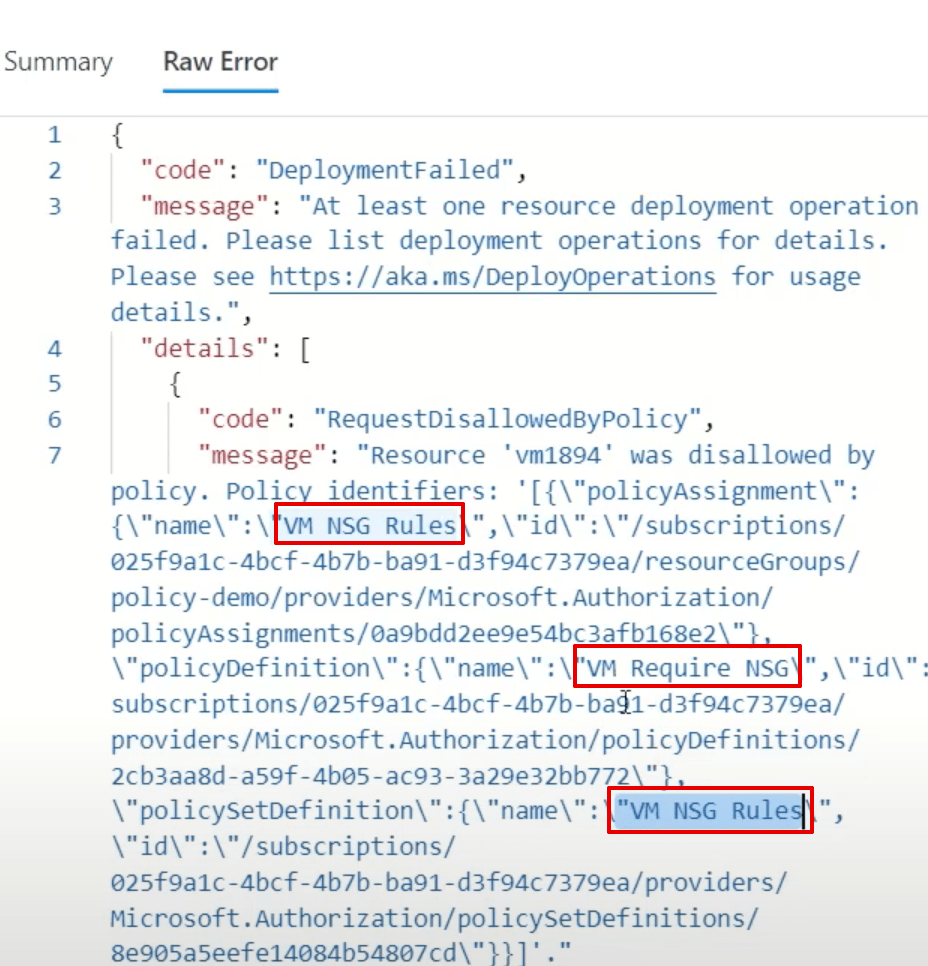
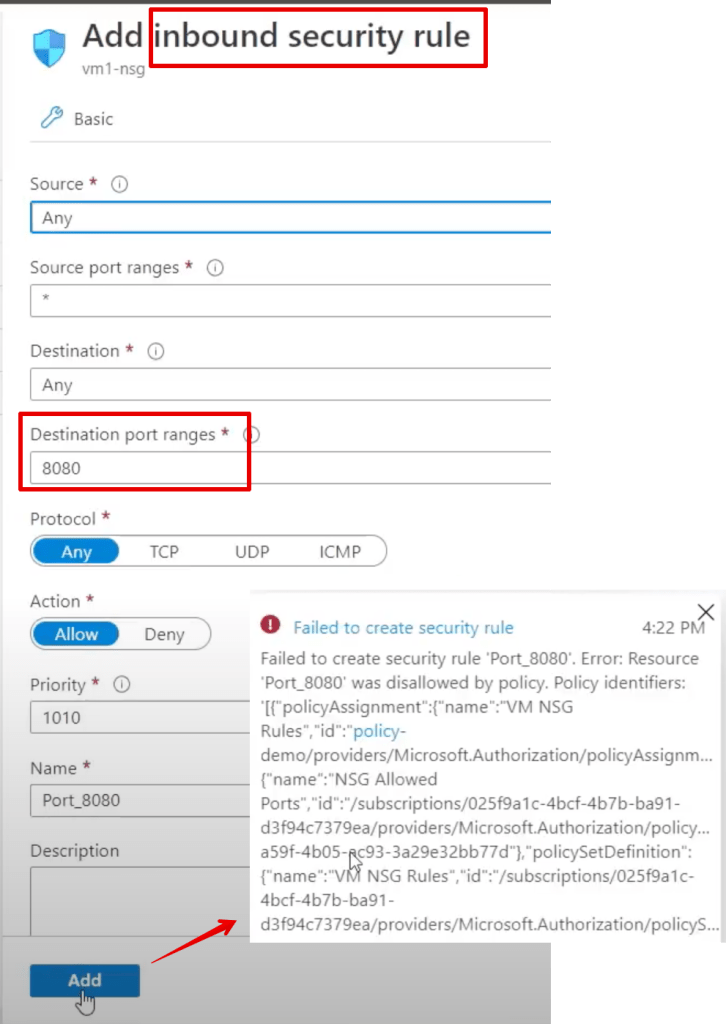
As another example, try to edit an existing NSG and add a port that’s out of the defined range above:
Azure Policy Maintenance Tips
Use powershell commands to export your policies for backup and re-use/sharing.
Assign ALL policies to the variable $definitions
$definitions = Get-AzPolicyDefinition
Get a count:
$definitions.count
Show the first policy:
$definitions[0]
Convert a single policy to json
$definitions[0] | ConvertTo-Json
(thanks to DCtheGeek)
Important References for when you’re ready to get dirty
Design Azure Policy as Code workflows – Azure Policy | Microsoft Docs
https://docs.microsoft.com/en-us/azure/governance/policy/concepts/definition-structure
List of built-in policy initiatives – Azure Policy | Microsoft Docs
GitHub – Azure/azure-policy: Repository for Azure Resource Policy built-in definitions and samples

 Simple-Security